
The 1jour1vin website 1jour1vin also available as an app. Download it without going through the app stores!
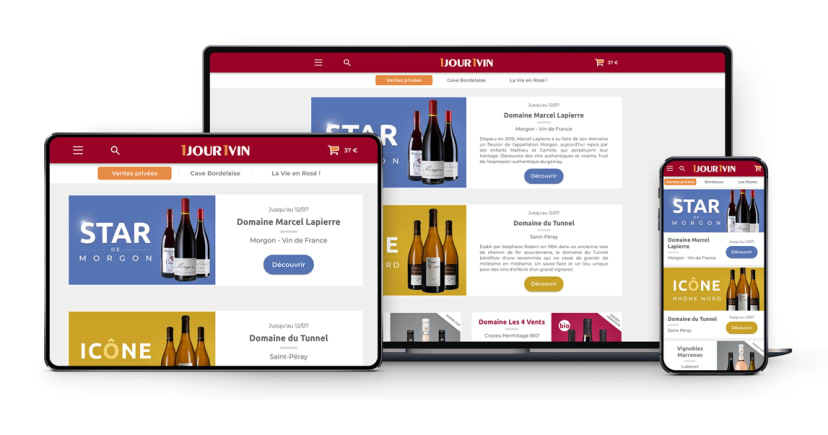
The new version of the site, which is more user-friendly and faster, will adapt perfectly to all your screens for an even more immersive experience. The icing on the cake: you can install the new 1jour1vin site 1jour1vin your phone just like an app— without having to go through the app stores!



On iOS (iPhone & iPad)
Follow the instructions below to download the 1jour1vin application on your cell phone.
How do I download the 1jour1vin app 1jour1vin my iOS device? (Compatible with Safari only)


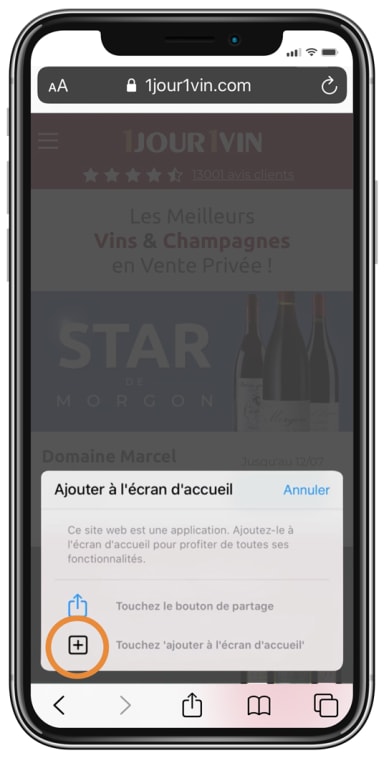
When browsing the site on an iPhone, a pop-up should appear prompting the user to install the app.
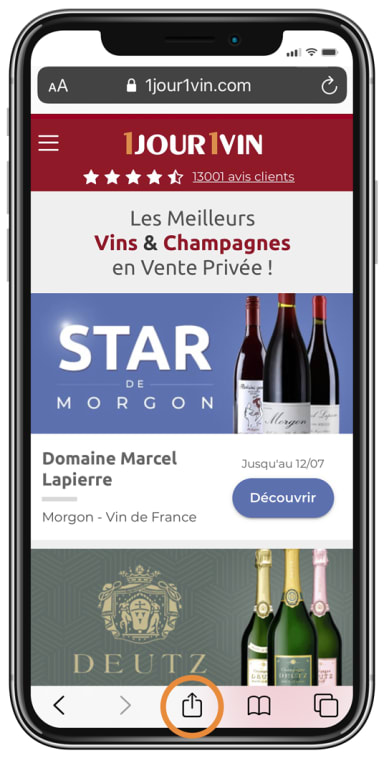
If that's not the case, click "Share," which is a button shown as a square with an upward-pointing arrow.
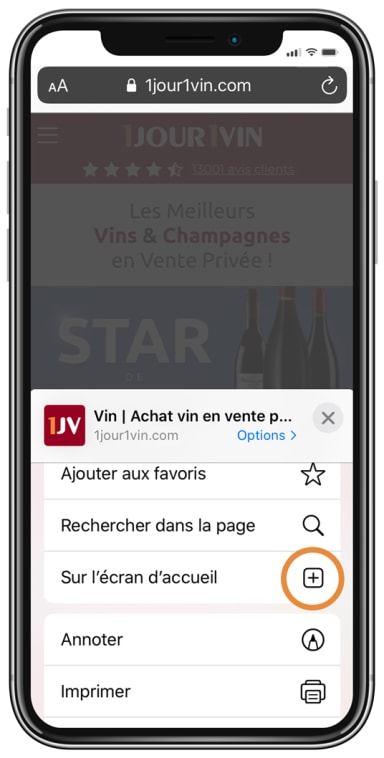
Then tap "Add to Home Screen".


On Android
Follow the instructions below to download the 1jour1vin application on your cell phone.
How do I download the 1jour1vin app 1jour1vin my Android phone?
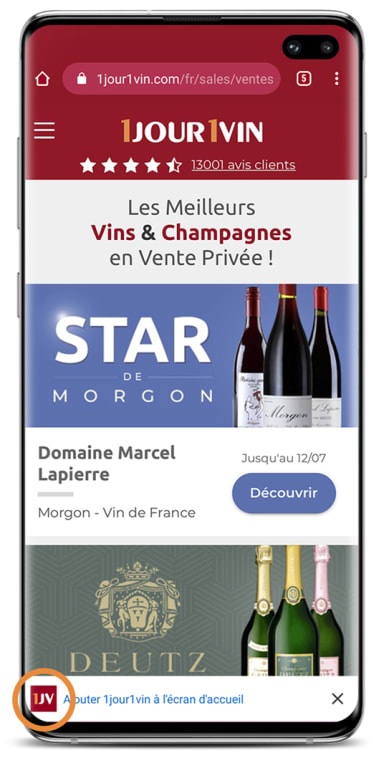
To install the PWA on Android, a message appears at the bottom of the browser, as shown in the image.
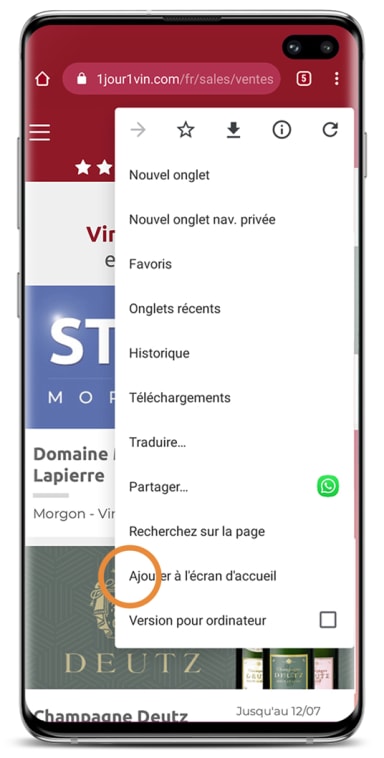
If that's not the case, click on the menu, then click "Add to Home Screen."
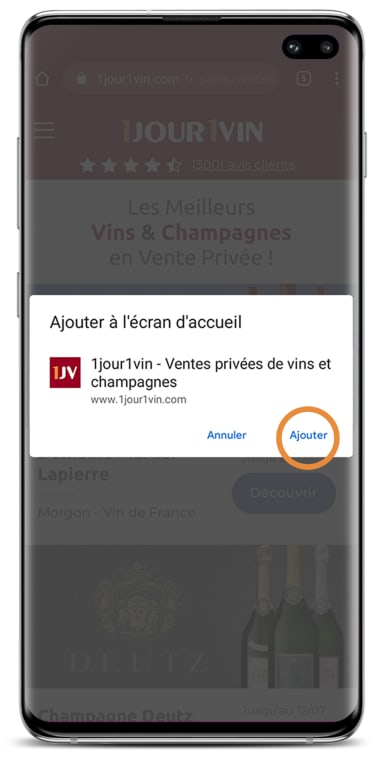
If necessary, edit the title of your tab/page and click Add.
Therefore, if you are using our old app (iOS or Android), we recommend that you uninstall it immediately, as it is no longer functional. Butrest assured, your history (orders, alerts, wine reviews, etc.) and your personal data are saved and available directly on our website, 1jour1vin.com, once you log in to your account.